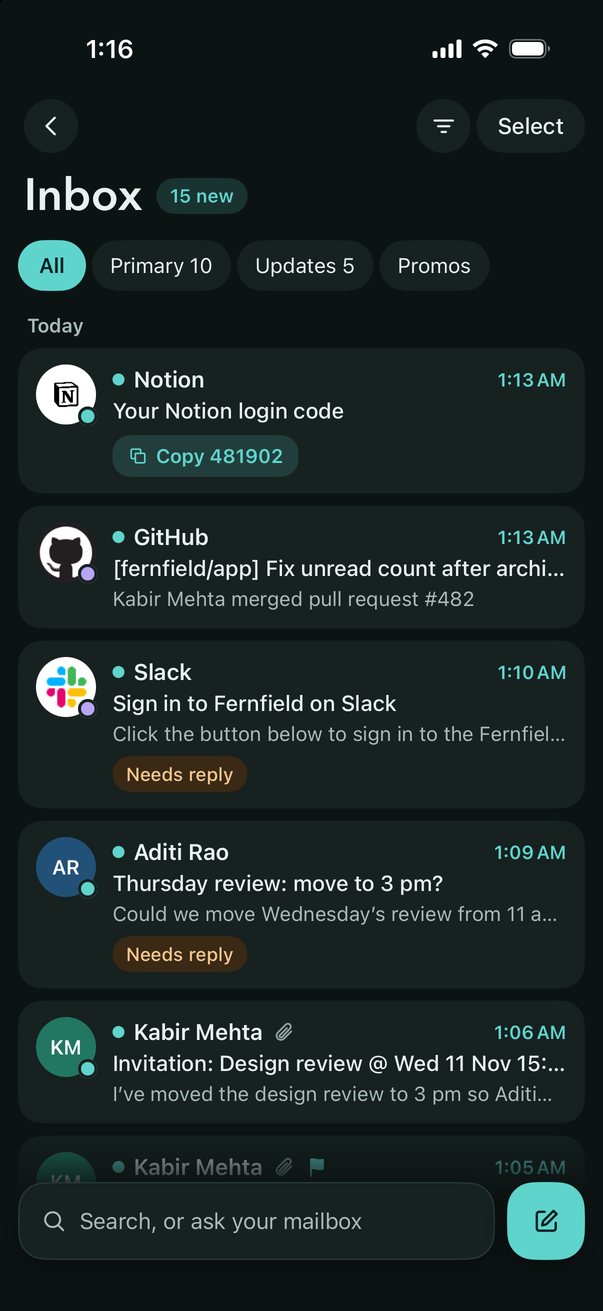
LocalInbox for iPhone and iPad is a private email app, on the App Store. It puts Gmail, iCloud, Yahoo, Fastmail and any IMAP account in one calm inbox, sorted as mail arrives, and Apple Intelligence writes summaries, suggested replies and answers about your mail on the device itself. There's no LocalInbox server and no AI cloud, and its App Store privacy label is Data Not Collected. It's a free download with a 7-day trial, then one licence covers your Mac, iPhone and iPad.
What it does
- Set up from your Mac. Already use LocalInbox on your Mac? Scan a QR code and your accounts come over, passwords and all, on your Wi-Fi, encrypted, never through the internet.
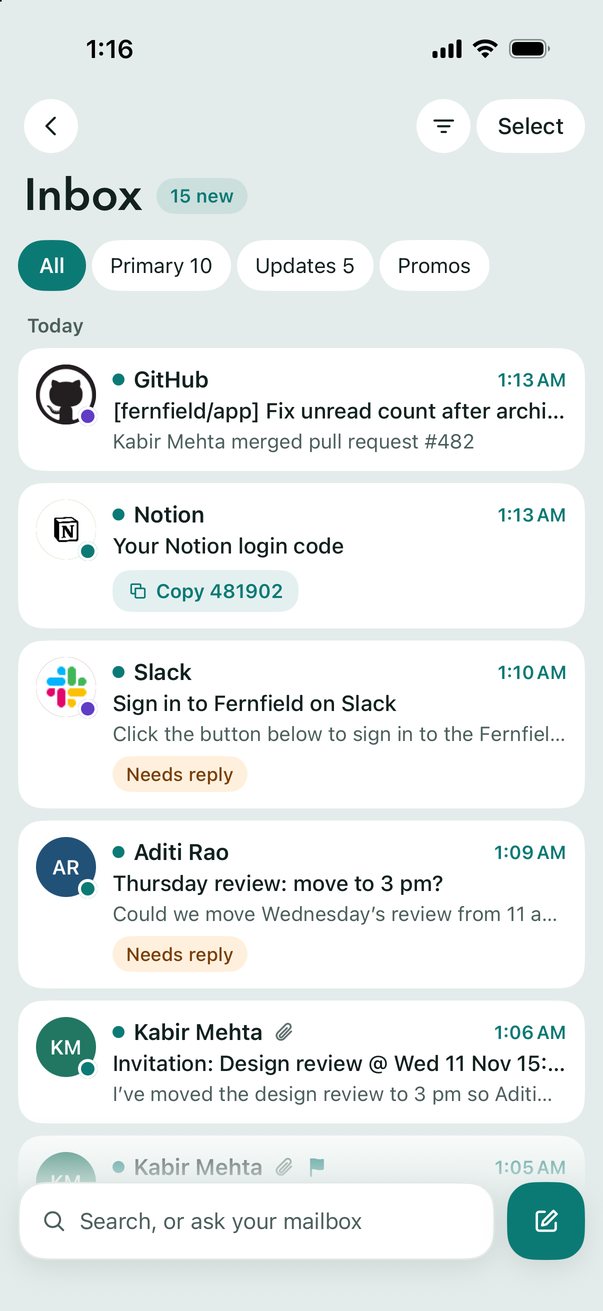
- Every account, one inbox. All your accounts together, sorted into Primary, Updates and Promotions, with To Reply for mail that's waiting on you. Search every account at once, and the server for older mail.
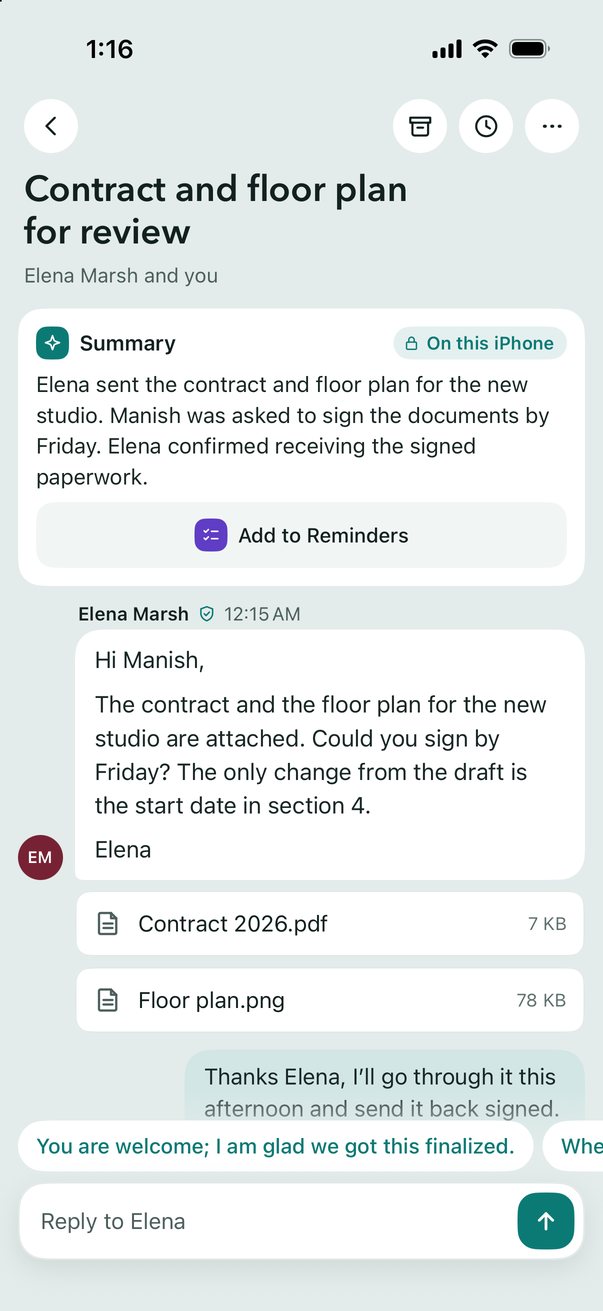
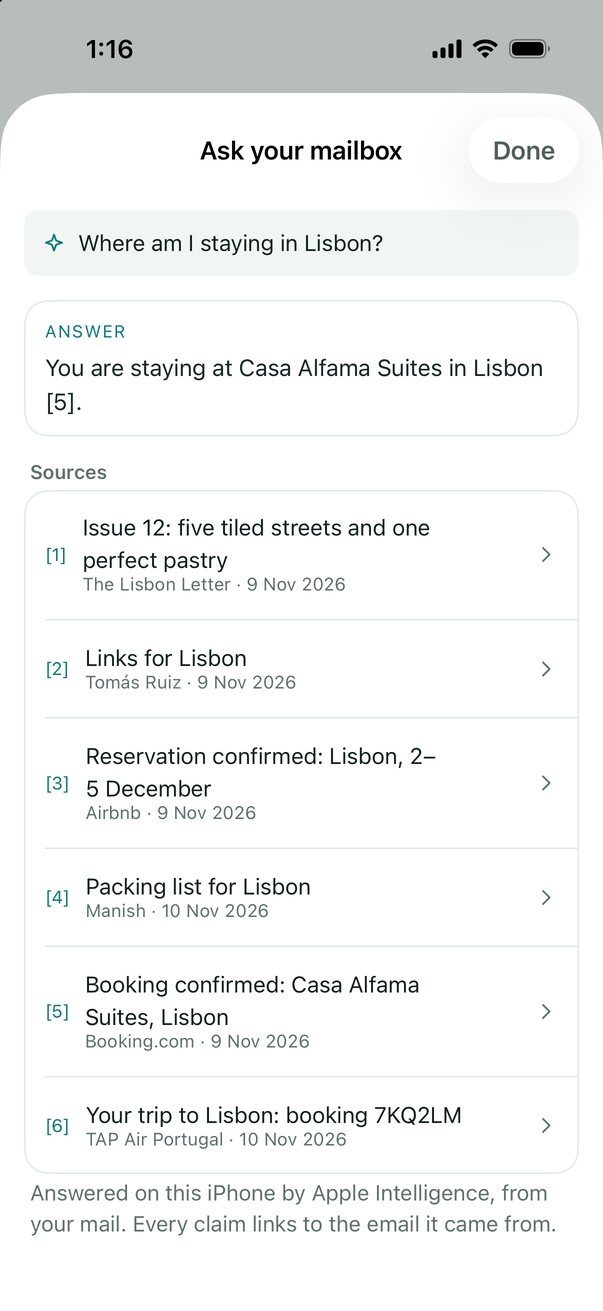
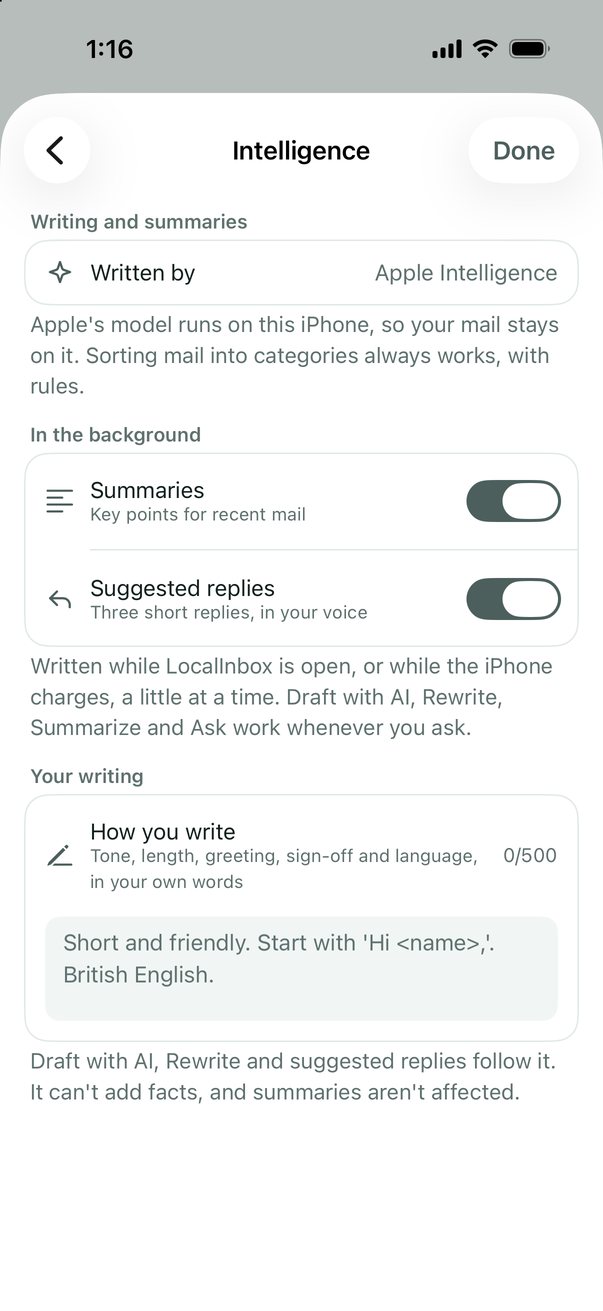
- Summaries, replies and answers. One-line summaries and key points, three suggested replies written as you, Draft with AI and Rewrite, and answers that link to the emails they came from, from Apple Intelligence on the device.
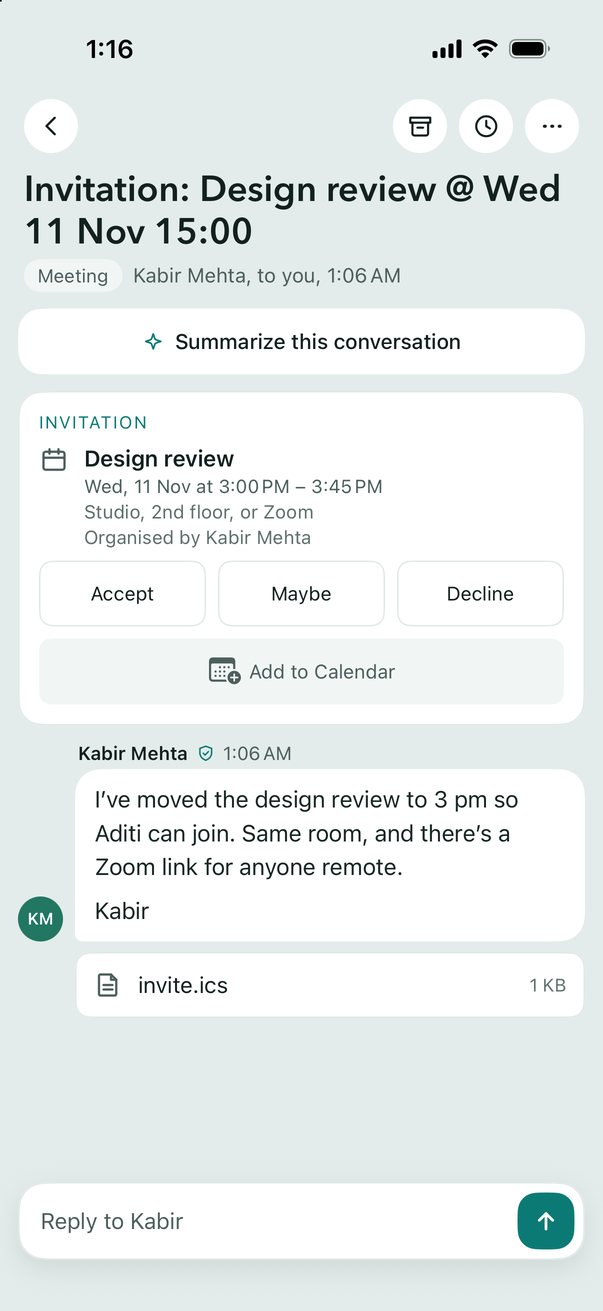
- Today and the Morning brief. The deadlines, trips and bookings found in your mail, on one page, and a Morning brief at the time you choose. Invitations go to Calendar, dates to Reminders, in a tap.
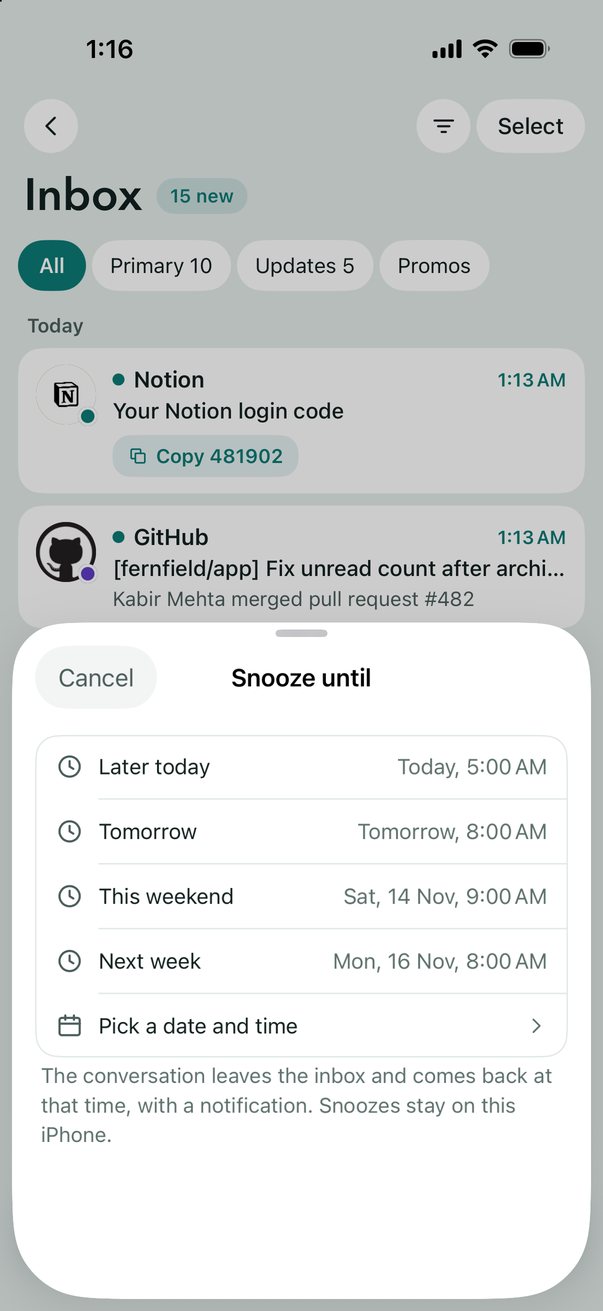
- Snooze, Remind me, Undo Send. Snooze a conversation until later, get a nudge when nobody replies, and see what you're waiting on. Undo Send, Send & Archive, and checks for a forgotten attachment.
- Rules and Unsubscribe. Rules that sort mail as it arrives, the same as the Mac's, categories in your own words, every newsletter in Subscriptions, and Unsubscribe in a tap.
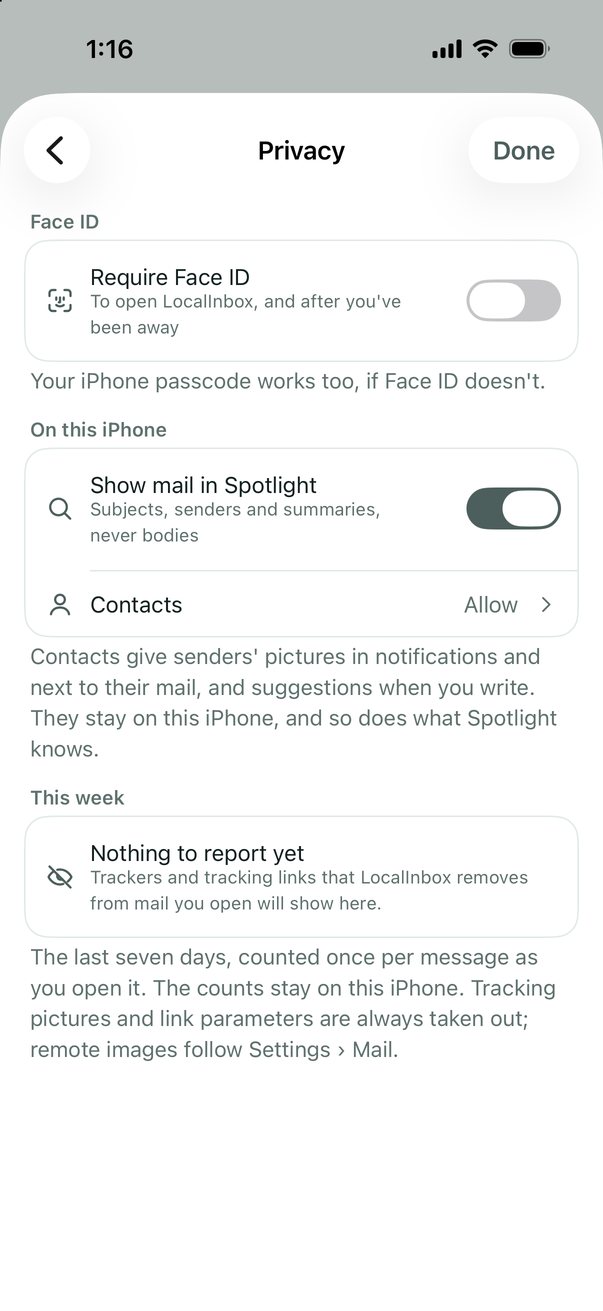
- Face ID, and nothing collected. Lock the app with Face ID. Trackers come out of your mail, passwords stay in the Keychain, and the App Store privacy label is Data Not Collected.
- Made for iPhone and iPad. Notifications for new mail with Copy Code for sign-in codes, Send from the share sheet, Spotlight, Shortcuts and Focus filters. Two columns on iPad.
An iPhone or iPad with iOS 18 or later. Summaries, suggested replies, Draft with AI, Rewrite and Ask your mailbox need Apple Intelligence (iOS 26 on a supported iPhone or iPad).
Set it up from your Mac
Set Up iPhone… in the Mac app's Settings › Accounts copies your accounts across, passwords and all, so nothing needs typing. The iPhone scans the code it shows, and you allow it once with Touch ID.

Read what it says
Set up your iPhone, with no passwords to type. On your Mac, Set Up iPhone shows a QR code. On the iPhone, choose From your Mac, and point it at the code. Both screens show the same four digits. Allow only if they match. Tick the accounts you want, and allow with Touch ID. They travel encrypted over your Wi-Fi, never the internet. LocalInbox. One licence for your Mac, iPhone and iPad.
Tick every account and they arrive together, in one inbox.

Read what it says
All your accounts, in one scan. Point your iPhone at the code on your Mac. Tick them all, and allow once with Touch ID. Passwords and all, so there's nothing to type. One inbox, with as many accounts as you like. LocalInbox. One licence for your Mac, iPhone and iPad.
Already on your Mac? Don't sign in again
- On the Mac: Settings › Accounts › Set Up iPhone… shows a QR code.
- On the iPhone or iPad: Add Account › From your Mac, and scan it.
- Check that both show the same four digits, and allow it on the Mac with Touch ID or your password. Your accounts come over your Wi-Fi with their passwords, encrypted, never through the internet.
- Your licence key can come the same way: Settings › Licence › Show on iPhone… on the Mac, and Scan from your Mac on the iPhone or iPad.
Private by design
- There's no LocalInbox server. Your mail goes between your iPhone and your mail provider, nowhere else.
- Apple's model runs on the device, so no AI cloud reads your mail.
- Passwords stay in the Keychain. No analytics, no crash uploads and no tracking: the App Store privacy label is Data Not Collected.
- Trackers are taken out of your mail, and Settings › Privacy shows the week's count.
- Lock the app with Face ID.
One licence for the Mac, iPhone and iPad
Bought LocalInbox for Mac? Your licence key unlocks it here too. A key bought on this site unlocks the iPhone and iPad too, and each device uses one of the key's 3 places.
Bought in the app instead? It goes through the App Store at the same price. Your iPhones and iPads on that Apple Account are unlocked and use none of the 3, and Settings › Unlock LocalInbox › Get Your Mac Licence Key gives you a key for your Mac.
How it differs from the Mac app
- The AI is Apple's model only. A phone runs no model server, so Ollama and LM Studio are for the Mac.
- New mail comes with background refresh, which iOS runs when it chooses, so a notification can come late. While the app is open, new mail arrives at once, as on the Mac.
- Proton Mail isn't offered: Proton Mail Bridge runs on a computer.
- Each device syncs with your mail server on its own: mail, read and flagged state, folders and drafts stay in step through the server. Accounts come from your Mac once, with a QR code, or are added on the iPhone with their passwords, and settings don't sync between devices yet.
- Send Later is on the Mac only.
iPad and iPhone Duo
LocalInbox lays out by the width it has, never by the device. On iPad, and on the iPhone Duo's inner screen on its side, the list and the conversation sit side by side. Each window keeps its own place, so folding, unfolding and Split View don't lose it.
Your mail on iPhone
Gmail, iCloud Mail, Yahoo, AOL, Fastmail, Zoho, GMX and any IMAP account. Each page says what the provider offers on iPhone and how LocalInbox works with it.
- Gmail
Gmail app for iPhone: private, with AI on the device
A private Gmail app for iPhone and iPad: Gmail beside your other accounts in one inbox, with summaries and replies by Apple Intelligence, not Google's cloud.
Read more - iCloud Mail
iCloud Mail app for iPhone: beyond Apple Mail
On iPhone, iCloud Mail lives in Apple's Mail app. LocalInbox is another private app for it, with Gmail and your other accounts beside it and AI on the device.
Read more - Yahoo Mail
Yahoo Mail app for iPhone: no ads, AI on the device
Yahoo Mail on iPhone in a private app with no ads: beside Gmail, iCloud and your other accounts, with summaries and replies written on the device.
Read more - Fastmail
Fastmail on iPhone: in one inbox with your other mail
Fastmail on iPhone and iPad beside Gmail, iCloud and your other accounts, in one private inbox with summaries and replies written on the device.
Read more - iPhone Duo
Email app for iPhone Duo: LocalInbox on both screens
LocalInbox on the iPhone Duo: one column on the outer screen, the list beside the conversation unfolded, and two windows in Split View.
Read more
Questions
Is LocalInbox on the App Store?
Yes: LocalInbox for iPhone and iPad is on the App Store, a free download with a 7-day trial.
Do I have to sign in again if I use LocalInbox on my Mac?
No. On the Mac, open Settings › Accounts › Set Up iPhone…. On the iPhone or iPad, Add Account › From your Mac scans the code. Check that both show the same four digits and allow it on the Mac, and your accounts come over your Wi-Fi with their passwords, encrypted, never through the internet. Proton Mail stays on the Mac. https://localinbox.app/features/set-up-iphone-from-mac
How much does LocalInbox for iPhone cost?
The app is a free download with a 7-day trial with every feature, started with a tap. Then one purchase unlocks it for good: $29.99, in the app or on localinbox.app. No subscription.
Do I pay again for the iPhone if I have LocalInbox on my Mac?
No. Bought LocalInbox for Mac? Your licence key unlocks it here too. It's one licence for the Mac, iPhone and iPad, on up to 3 devices. Buying in the iPhone app instead costs the same and gets you a licence key for your Mac in Settings › Unlock LocalInbox.
Which accounts work on iPhone?
Gmail, iCloud Mail, Yahoo, AOL, Fastmail, Zoho, GMX and any IMAP account. Proton Mail needs Proton Mail Bridge, which runs on a computer, so it's on the Mac only.
Does it need Apple Intelligence?
Only for the AI. Summaries, suggested replies, Draft with AI, Rewrite and Ask your mailbox need Apple Intelligence (iOS 26 on a supported iPhone or iPad). Everything else, from the unified inbox and search to rules, snooze and Today, works on iOS 18 or later.
Does LocalInbox read my mail on a server?
No. Summaries, suggested replies, Draft with AI, Rewrite and Ask your mailbox are written by Apple Intelligence on the iPhone or iPad itself (iOS 26 on a supported device). There's no AI cloud, and no LocalInbox server. Mail goes only between your device and your mail provider.
Will I get notifications for new mail?
Yes. iOS doesn't let an app keep a mail connection open in the background, and a push service would mean a server of ours holding your mail password, so LocalInbox uses background refresh. iOS decides when that runs, so a notification can come late; the app says so in Settings › Notifications.
Does it work on iPad?
Yes, with the list and the conversation side by side. One purchase unlocks your iPhone and iPad together.