By Manish, who makes LocalInbox · Facts checked November 2026
Google's Gmail app for iPhone is free, and its AI features (Gemini in Gmail) run in Google's cloud. LocalInbox is another Gmail app for iPhone and iPad, on the App Store: it puts Gmail in one inbox beside iCloud, Yahoo and any IMAP account, shows your labels as folders, and has Apple Intelligence write summaries and suggested replies on the device. It connects with an app password, with no LocalInbox server in between.
Gmail on an iPhone today
Google's own app, Gmail - Email by Google, is free on the App Store, with in-app purchases, for iOS 18 or later. Its listing names Gemini in Gmail for summarising long emails, drafting replies and searching the inbox, and says some Gemini features need a Google AI subscription. Gemini runs in Google's cloud.
Apple's Mail app on iPhone works with Gmail too, as do other mail apps that connect over IMAP.
How LocalInbox works with Gmail on iPhone
- It connects over IMAP with an app password you make in your Google Account, the same one your Mac can use. You can revoke it from your Google Account at any time.
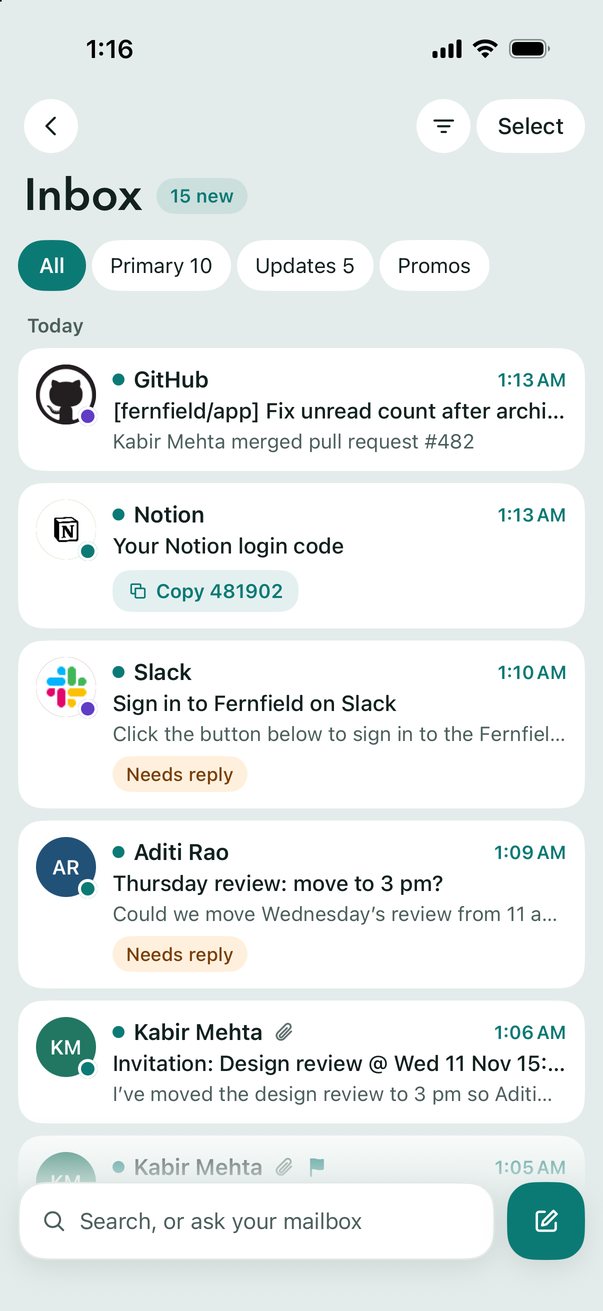
- Your Gmail labels appear as folders, and Archive uses Gmail's All Mail.
- Search on Server asks Gmail for older mail that isn't on your iPhone yet.
- Mail from every account is sorted into Primary, Updates and Promotions, much like Gmail's tabs.
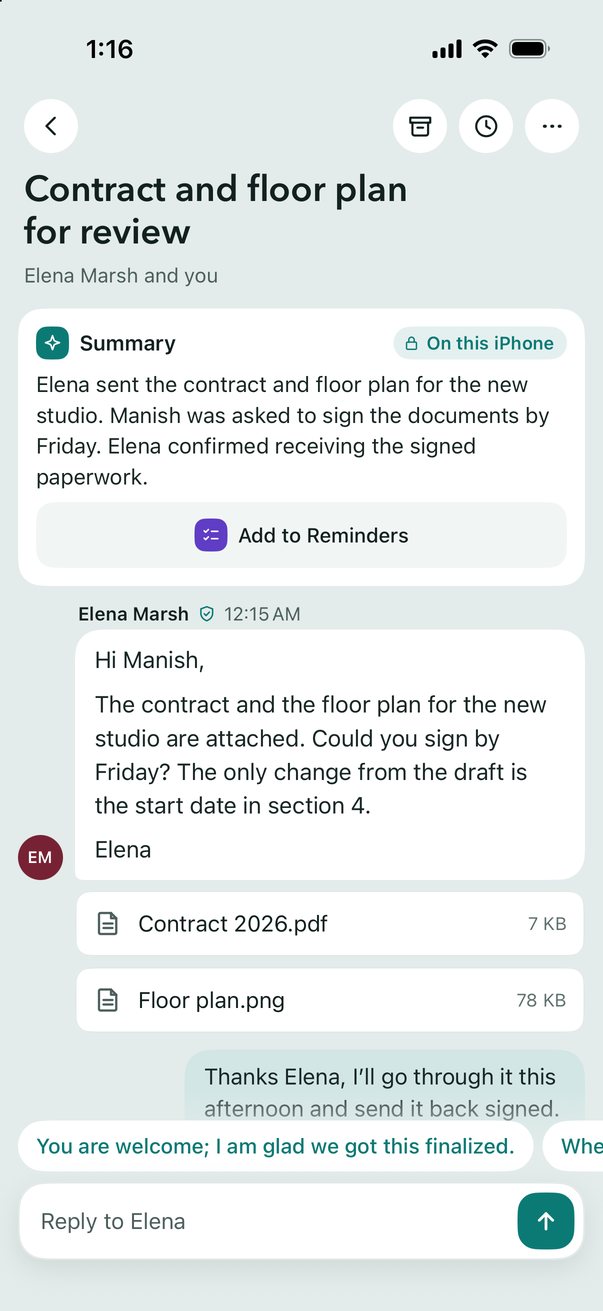
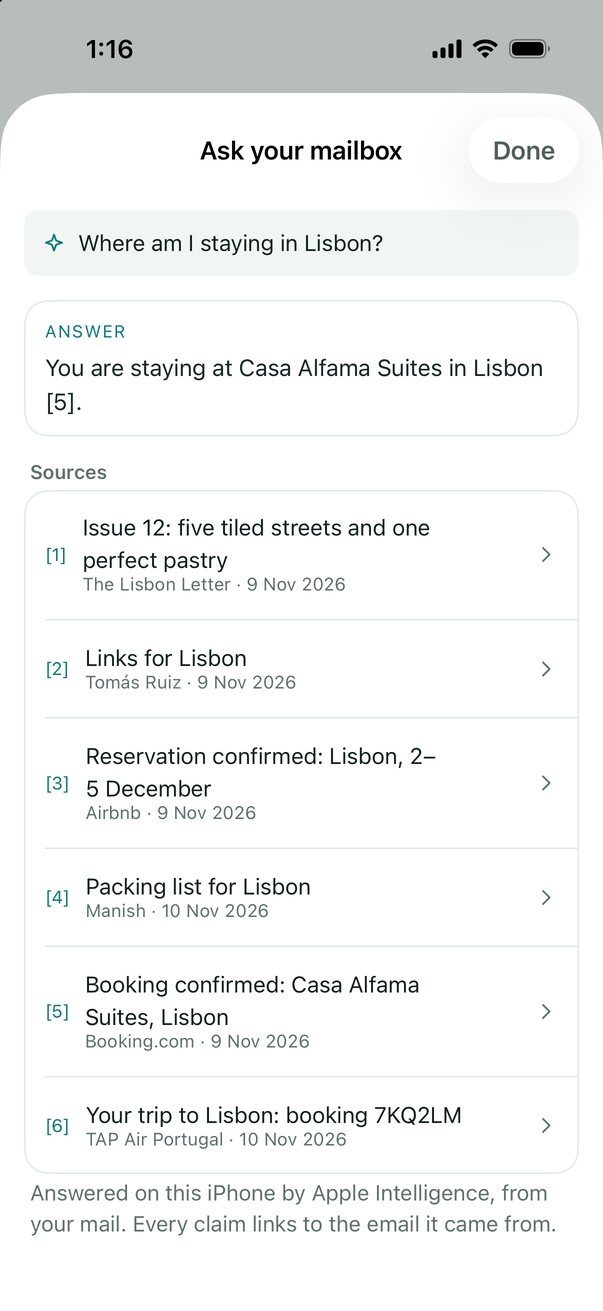
- Summaries, suggested replies, Draft with AI, Rewrite and Ask your mailbox are written by Apple Intelligence on the iPhone or iPad itself (iOS 26 on a supported device). There's no AI cloud, and no LocalInbox server.
- The password is kept in the iOS Keychain and sent only to the mail server.
Set up Gmail on iPhone
- Make an app password for LocalInbox on Google App passwords (2-Step Verification must be on for your Google Account. Google only offers app passwords when it is). One you made for your Mac works too.
- Open LocalInbox on your iPhone or iPad. With no account yet, it opens on Add Account; later, it's in Settings › Accounts.
- Choose Gmail and enter your address.
- Paste the app password, and tap Add. LocalInbox fills in the server settings itself and starts syncing.
- Already have the account in LocalInbox on your Mac? Choose From your Mac in Add Account instead, and scan the code in the Mac's Settings › Accounts › Set Up iPhone…. There's nothing to paste.
Server settings and what to do if it doesn't connect: Gmail IMAP and SMTP settings, with an app password.
Sources
Facts about Gmail's own apps were checked in November 2026 and can change. Facts about LocalInbox come from its own documentation.
Questions
Is LocalInbox an official Gmail app?
No. Google makes the Gmail app. LocalInbox is an independent mail app that connects to Gmail over IMAP, as Apple Mail does.
Does LocalInbox use Gemini, or send my Gmail to an AI service?
No. Summaries, suggested replies, Draft with AI, Rewrite and Ask your mailbox are written by Apple Intelligence on the iPhone or iPad itself (iOS 26 on a supported device). There's no AI cloud, and no LocalInbox server.
Does Google Workspace work?
Yes, the same way, if your administrator allows IMAP and app passwords.
Do I have to sign in again if I use LocalInbox on my Mac?
No. On the Mac, open Settings › Accounts › Set Up iPhone…. On the iPhone or iPad, Add Account › From your Mac scans the code. Check that both show the same four digits and allow it on the Mac, and your accounts come over your Wi-Fi with their passwords, encrypted, never through the internet. Proton Mail stays on the Mac. https://localinbox.app/features/set-up-iphone-from-mac
How much does LocalInbox for iPhone cost?
The app is a free download with a 7-day trial with every feature, started with a tap. Then one purchase unlocks it for good: $29.99, in the app or on localinbox.app. No subscription.
Do I pay again for the iPhone if I have LocalInbox on my Mac?
No. Bought LocalInbox for Mac? Your licence key unlocks it here too. It's one licence for the Mac, iPhone and iPad, on up to 3 devices. Buying in the iPhone app instead costs the same and gets you a licence key for your Mac in Settings › Unlock LocalInbox.